
If you’re an agency or freelancer managing a client’s website, you can safely install and use our plugin without exposing billing or account information. White-label mode hides sensitive details in the client’s WP Admin.
What the Client Sees (and Doesn’t) #
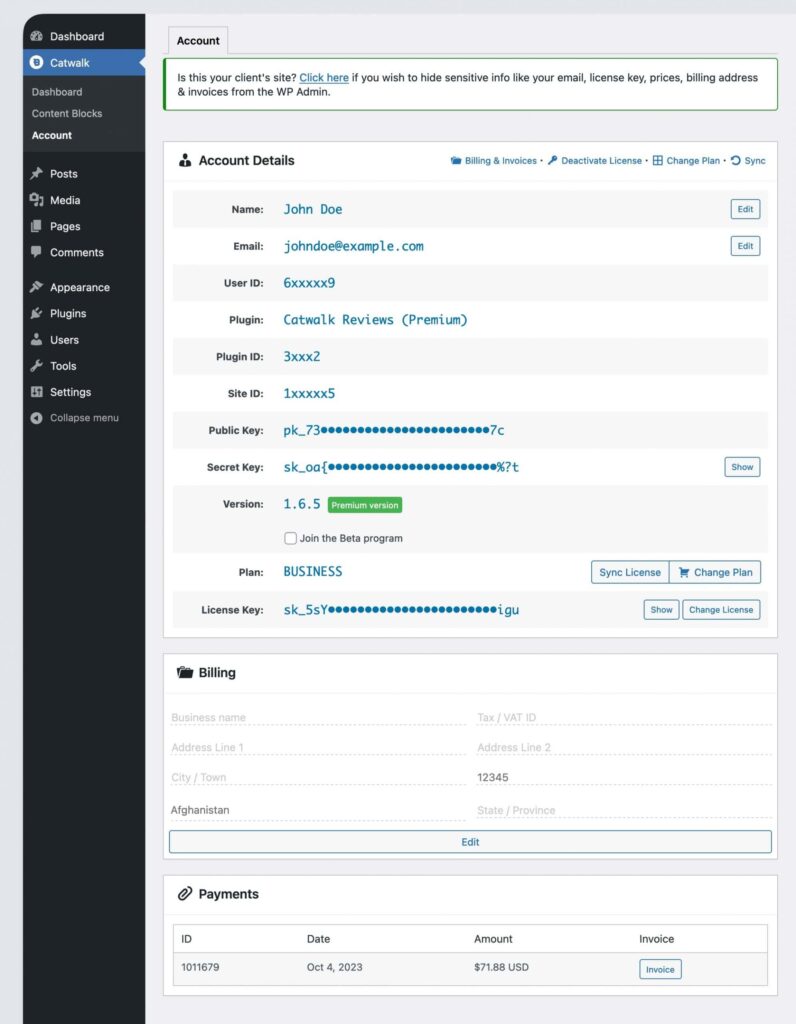
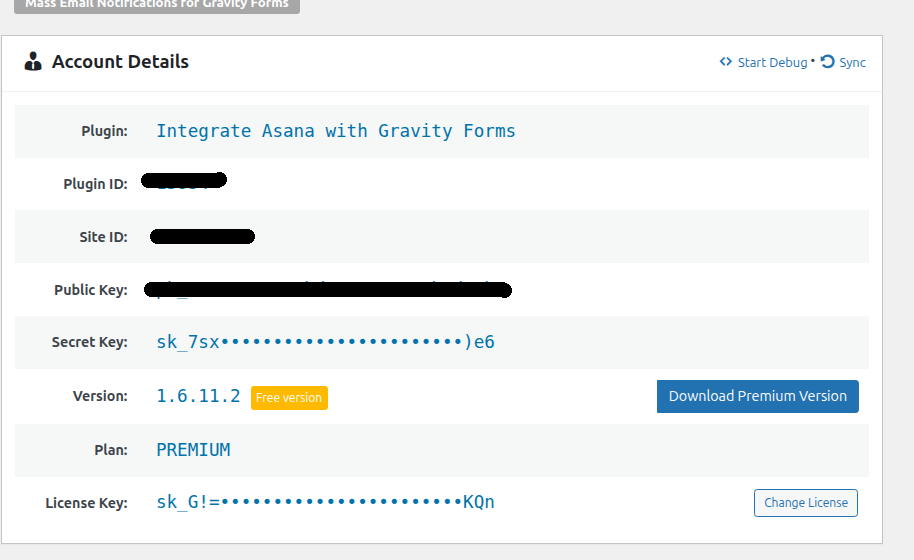
When white-label is enabled, the following elements are hidden from the client’s view in the Account tab:
- Your user profile and contact information
- Billing details and invoices
- The full license key
- Pricing and upgrade prompts
- “Contact Us” links that lead back to your account
- Sensitive actions like canceling subscriptions or changing plans are restricted
How It Works (Quick Overview) #
Freemius adds an Account area within WP Admin under GravityOps → [Plugin Name] → Account. With white-label enabled, billing, licensing, and sensitive options are concealed. This ensures a clean handoff while keeping control securely in your hands.
How to Enable White-Label #
From WP Admin:
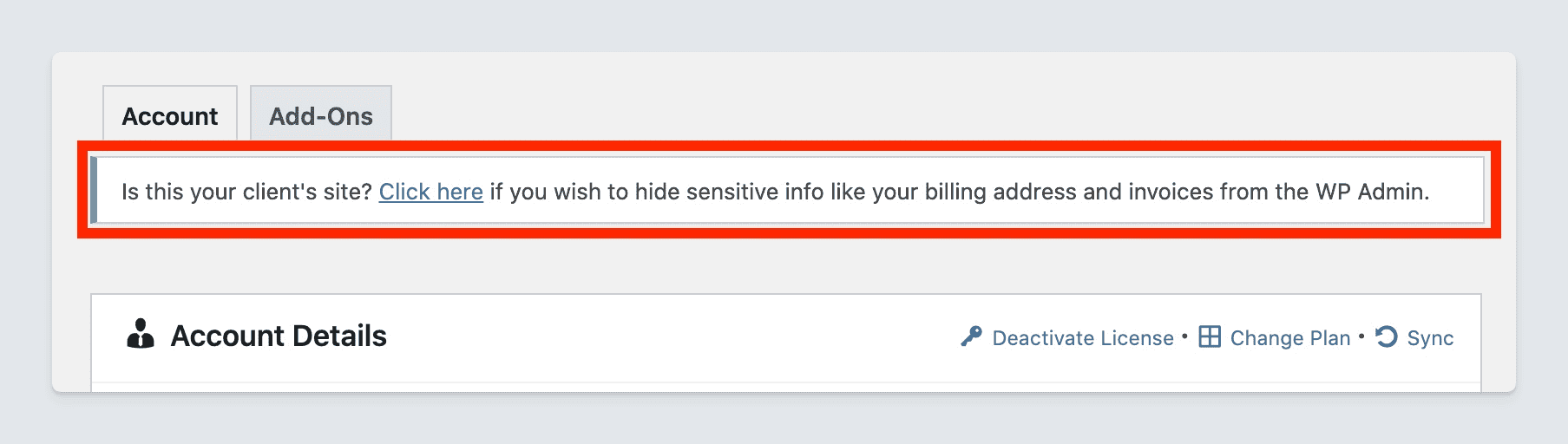
- After activating the license on a client site, go to the Account page and click the link in the admin notice to activate white-label for a seamless handoff.
From your Customer Portal:
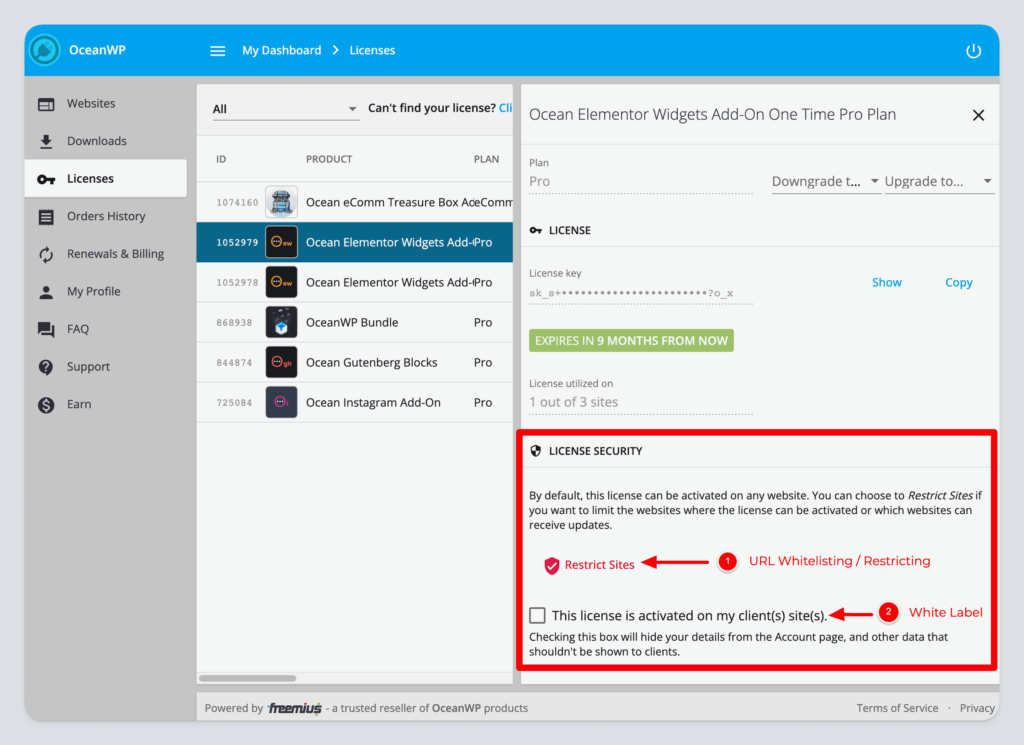
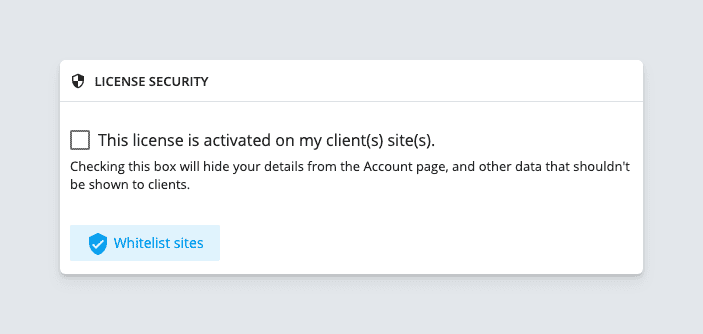
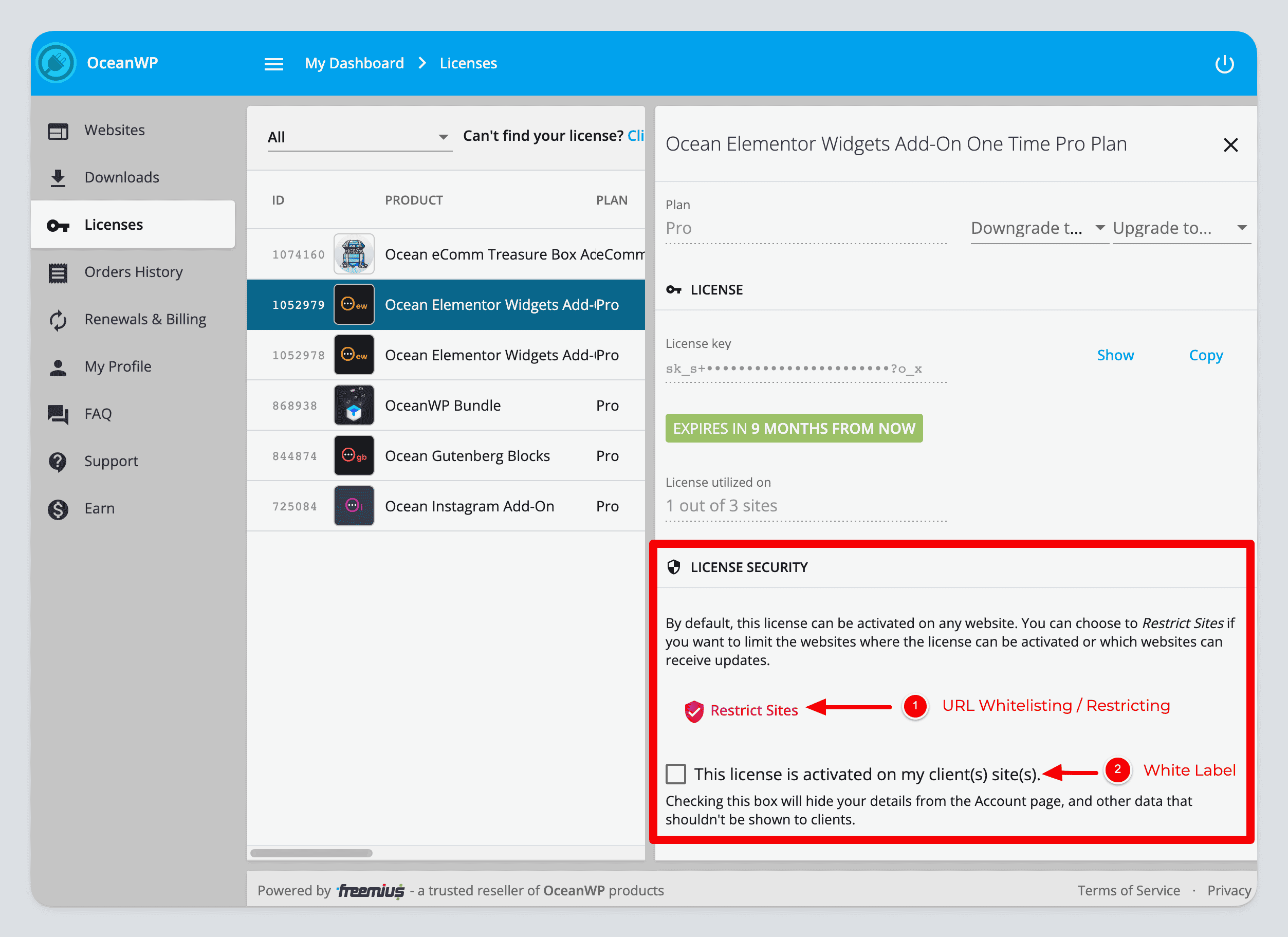
- Navigate to the Licenses tab. Select the relevant license and check “This license is activated on my client(s) site(s)” to conceal license details on that site.
Making Changes While White-Label Is Active #
To access billing or account settings while white-label is active:
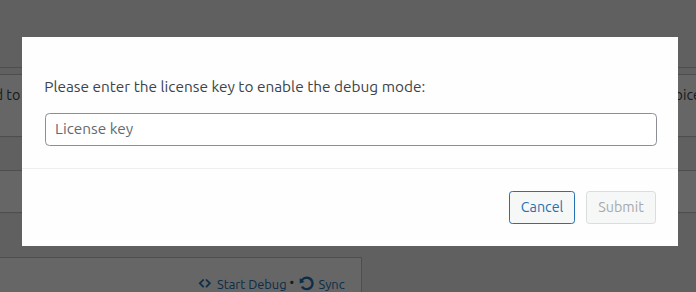
- Click “Start Debug” on the site’s Account page.
- Enter the license key. This temporarily unlocks all settings (debug mode lasts 60 minutes or until you click “Stop Debug”).

To revert and display details again:
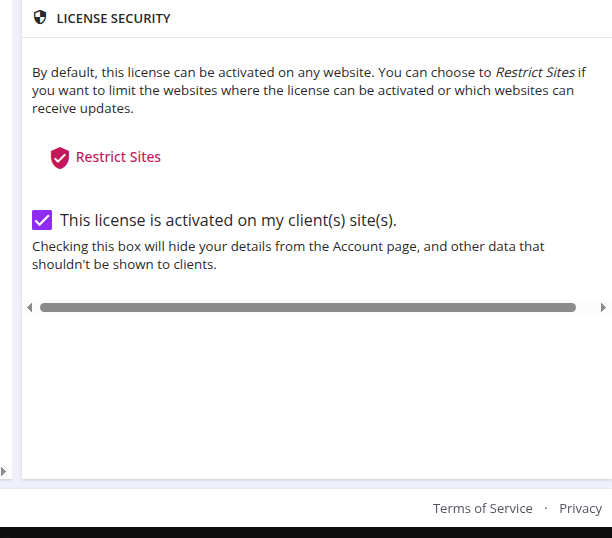
From Customer Portal: Uncheck “This license is activated on my client(s) site(s)”
From WP Admin: Use the white-label admin notice on the site to revert immediately after enabling white-label

Extra Protection for Agencies #
Use URL Whitelisting (a.k.a. License Firewall) to restrict license activation and update access to specific domains—ideal for managing multiple client sites securely.
Good to Know #
- Best practice: Enable white-label before granting client admin access—this keeps your billing and license info protected.
- White-label mode is tailored for agencies and multi-site workflows.
- White-label can be toggled via WP Admin or the Customer Portal.
- URL Whitelisting offers an additional layer of control over license usage.
Bottom Line #
Yes—you can use the plugin on a client site safely. Enable white-label mode and URL Whitelisting to keep billing, licensing, and other sensitive details private while maintaining full control.
Helpful links:


