
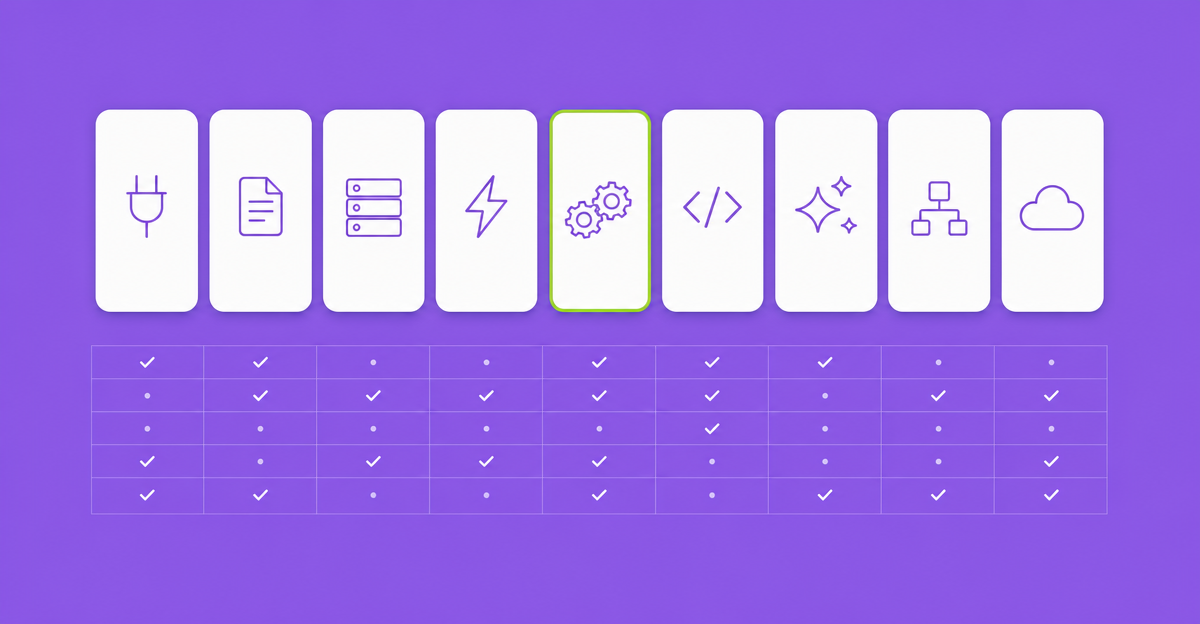
There are now nine real ways to put Claude or OpenAI into a Gravity Forms build, and they are not nine versions of the same thing. Some run inside the submission and write back to the entry. One turns submissions into Word documents. Two let an assistant like Claude or ChatGPT drive your forms from the outside. One is a Zapier or Make scenario, and one is your own PHP.
We make one of the nine, GravityOps AI Feed, so read this knowing that. We’ve tried to say plainly where each of the others is the better buy. Features and prices below were checked against each vendor’s own pages on October 25, 2026. If something has changed, tell us and we’ll fix it.
The short answer
- OpenAI only, and you want moderation, audio or a live stream field? Gravity Connect: OpenAI from Gravity Wiz.
- One Claude feed on one site, as cheaply as possible? Gravity Extra’s Gravity Forms + Claude add-on.
- The output is a Word document or a written report? GravityMerge AI.
- A free, admin-only summary of each entry? 84EM’s Gravity Forms AI.
- You want Claude or ChatGPT to build forms and search entries for you? Gravity Forms MCP, which ships with every Gravity Forms license, or GravityKit’s free MCP server.
- It already works in Zapier or Make? Leave it there until the bill or the data path starts to bother you.
- Full control, and you’ll maintain it? Custom code.
- Claude for text, OpenAI for images, Gravity Flow steps and per-form budgets across client sites? That’s the gap we built AI Feed for.
Two different jobs
One distinction clears up most of the confusion. AI inside the submission means a model reads an entry and its output becomes part of that entry: a category, a summary, a draft reply, an image. AI driving Gravity Forms means an assistant you’re chatting with builds forms, edits conditional logic or searches entries for you. The two MCP servers on this list do the second job. Everything else does the first. You may well want both, and they don’t compete.
The comparison
| Option | Job | Providers | Writes back to the entry | Gravity Flow step | Streams in the form | Price (Oct 2026) |
|---|---|---|---|---|---|---|
| Gravity Connect: OpenAI (Gravity Wiz) | Inside the submission | OpenAI | Yes, to a field you choose | Not documented | Yes, Stream field | From $59/yr (1 connection, 1 site) |
| Gravity Forms + Claude (Gravity Extra) | Inside the submission | Claude | Yes: hidden, text, paragraph or post meta | Not documented | Not documented | From $39/yr (1 site) |
| GravityMerge AI | Documents from submissions | Claude (Report Builder) | Into a .docx file | Not documented | No | Not published |
| Gravity Forms AI (84EM) | Admin analysis | Claude | To entry meta, not form fields | No | No | Free (GPL) |
| Gravity Forms MCP (Rocketgenius) | Assistant drives Gravity Forms | Your MCP client: Claude, ChatGPT and others | n/a | n/a | n/a | Included in every Gravity Forms license |
| GravityKit MCP | Assistant drives Gravity Forms and GravityView | Your MCP client | n/a | n/a | n/a | Free, open source |
| Zapier or Make | Outside WordPress | Whatever they connect | Via webhook or API step | No | No | Middleware plan plus model usage |
| Custom code | Inside the submission | Any API | If you write it | If you write it | If you write it | Your time |
| GravityOps AI Feed (ours) | Inside the submission | Claude (text) and OpenAI (images) | Yes, to mapped fields | Yes, text and image steps (Premium) | Yes (Premium) | See pricing |
Gravity Connect: OpenAI (Gravity Wiz)
The most complete OpenAI integration for Gravity Forms. Version 1.1 shipped on August 20, 2026 with the GPT 5.6 models and OpenAI’s Responses API. Feeds send field data to OpenAI and write the response to a field you pick. A Stream field generates output live while someone fills in the form. It also covers image generation, file and image analysis, audio, and content moderation that can flag a submission or mark it as spam (Gravity Wiz’s guide).
Where it wins: if OpenAI is the only provider you’ll ever use, it covers more of OpenAI than anything else here. Moderation in particular is something we don’t offer. It’s sold as part of Gravity Connect: $59 a year for one connection on one site, $169 for three, $349 for unlimited.
Where it stops: OpenAI only. We couldn’t find a documented Gravity Flow step.
Gravity Forms + Claude (Gravity Extra)
A real feed, set up under Form Settings, that sends field data to Claude and writes the answer to a hidden, single-line, paragraph or post meta field. Feed conditional logic gates each request, temperature and max tokens are configurable, and the model version and token count are logged to entry notes. Version 1.0.3 added manual reprocessing and a bulk action (product page).
Where it wins: price. $39 a year for one site, $69 for five, $149 for ten. If a client needs one Claude feed on one site, this is the cheapest way to get it without writing code.
Where it stops: Claude only, and the product page still lists Claude 3-era models, so check that the current models are selectable before you buy. Streaming, image generation, a Gravity Flow step and a spending cap aren’t mentioned.
GravityMerge AI
A different job. GravityMerge turns submissions into Word documents, with conditional sections and repeating table rows, and its Report Builder uses Claude to write a full narrative report from the form data instead of filling a template (GravityMerge, announcement).
Where it wins: if the deliverable is a document, such as an assessment, a proposal or a letter, this is built for it and the others aren’t.
Where it stops: the AI output goes into a document, not back into fields that drive routing or notifications. Pricing isn’t published on the site.
Gravity Forms AI (84EM)
A free, GPL plugin on GitHub that sends the fields you choose to Claude and stores the analysis as markdown in entry meta, viewable from the entry page, with manual re-analysis and encrypted key storage.
Where it wins: free, open source and readable. Good for giving admins a summary of each entry, and a good codebase to learn from if you’re going the custom route.
Where it stops: it’s analysis for admins. The output doesn’t land in form fields, so nothing downstream can act on it.
Gravity Forms MCP and GravityKit MCP
Since Gravity Forms 3.1, every Gravity Forms license includes an MCP server. Connect Claude, ChatGPT, Cursor or another MCP client and the assistant can build and edit forms, audit conditional logic, search and update entries, manage feeds and resend notifications. It needs self-hosted WordPress 6.9 or later. GravityKit’s MCP server is free and open source, covers forms and entries, and adds GravityView Views.
Where they win: admin work. Building a 30-field form from a description, finding every entry that matches a condition, checking conditional logic you inherited. If you haven’t tried it yet, start with the official one; you already own it.
Where they stop: the AI runs in the assistant, not in the submission. When a visitor submits a form at 3 a.m., no model reads it unless something else on this list is installed.
Zapier or Make
The submission leaves WordPress, goes to a model through an automation platform, and the result comes back by webhook or API call. Make, for example, has a Gravity Forms and Claude integration with a Watch Entries trigger.
Where it wins: when the AI step is one link in a chain that ends in five other SaaS tools, and the client already pays for the automation account.
Where it stops: every client carries a middleware bill, the submission passes through a third party, and failures show up in a dashboard nobody on the WordPress side is watching. We wrote more about that trade-off in AI belongs in the feed, not the form builder.
Custom code
Hook into the submission and call the API yourself. A minimal Claude classifier for form 12 looks like this:
add_action( 'gform_after_submission_12', function ( $entry, $form ) {
    $response = wp_remote_post( 'https://api.anthropic.com/v1/messages', array(
        'timeout' => 30,
        'headers' => array(
            'x-api-key'         => ANTHROPIC_API_KEY, // defined in wp-config.php
            'anthropic-version' => '2023-06-01',
            'content-type'      => 'application/json',
        ),
        'body'    => wp_json_encode( array(
            'model'      => 'claude-haiku-5-5',
            'max_tokens' => 20,
            'messages'   => array( array(
                'role'    => 'user',
                'content' => "Classify this support ticket as billing, bug or question. Reply with one word.\n\n" . rgar( $entry, '3' ),
            ) ),
        ) ),
    ) );

    if ( is_wp_error( $response ) ) {
        return; // Now what? No retry, no entry note, nobody told.
    }

    $body = json_decode( wp_remote_retrieve_body( $response ), true );
    $label = $body['content'][0]['text'] ?? '';
    GFAPI::update_entry_field( $entry['id'], '5', sanitize_text_field( $label ) );
}, 10, 2 );
Where it wins: total control and no license fee. For one form on one site with a developer on retainer, it can be the right answer.
Where it stops: everything that snippet doesn’t do. It runs inside the visitor’s submission request, so the confirmation waits for the model. A failed call is dropped silently. There’s no retry, no budget, no record of tokens spent, the label isn’t checked against the list, and the key lives in a constant someone has to remember to rotate. Each of those is easy to build. Together they’re a plugin, and you maintain it through every Gravity Forms release.
GravityOps AI Feed (ours)
AI as a Gravity Forms feed, in the same slot as your Asana, Mailchimp or Stripe feeds. Claude writes the text and OpenAI makes the images, from one credential store on your own keys, and each feed picks its own model. Text and image feeds write back to mapped fields and respect feed conditional logic, and a usage ledger records provider, model, form, feed, entry and token counts. Premium adds native Gravity Flow steps for text and images, realtime streaming inside the form, and monthly token budgets per form or feed. Calls go straight from the site to the provider; we never proxy them and never log submissions.
Where it wins: agency builds where the AI output has to drive the rest of the pipeline, a human approval step sits after it, or a client wants to know what each form costs to run. It runs Claude text feeds and OpenAI image feeds under the same feed settings, budgets and ledger.
Where it stops: no OpenAI text models, content moderation, audio or document generation; Gravity Connect and GravityMerge do those. And if all you need is one Claude feed on one site, Gravity Extra costs less.
How to choose for a client build
- Does the AI output need to drive anything after submission? Routing, notifications, a task, an approval. If yes, it belongs inside the submission: a feed plugin or custom code. If it only helps an admin read entries, an analysis plugin or an MCP server will do.
- Which provider will the client pay for? If the answer is “only OpenAI” or “only Claude” and will stay that way, a single-provider add-on is simpler. If they want OpenAI models for text, choose Gravity Connect; AI Feed writes text with Claude.
- Is a human in the loop? If a reviewer approves something in Gravity Flow, put the AI step inside the workflow, before the approval step, not in the form.
- Who answers “what does this cost us?” If it’s you, every month, pick something that budgets and records usage per form.
- Who maintains it in two years? Custom code is cheap on day one and yours forever.
Where we land
You can probably guess which one we’d pick for an agency running Gravity Flow on client sites. We built GravityOps AI Feed for that case, and the argument behind it is in AI belongs in the feed, not the form builder. It’s also part of the 14-plugin GravityOps bundle. If one of the others fits your build better, use it. If we got a fact wrong about any of them, email contact@brightleafdigital.io and we’ll correct it.
Discuss this post
Questions, corrections or your own approach? Reply in the community thread.