
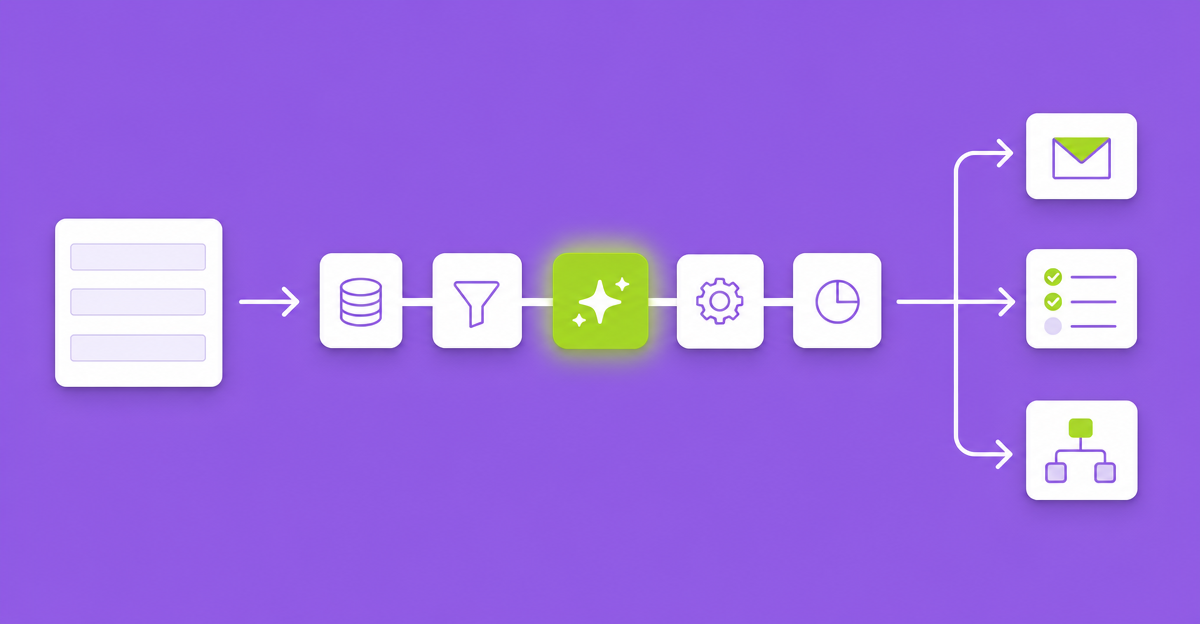
When we started building AI into Gravity Forms, the obvious move was a field. Drop an “AI” field into the form editor, give it a prompt, let it write. Plenty of good products work that way.
We built it as a feed instead. The reasoning behind that choice applies to any Gravity Forms build, whether or not you ever use our plugin.
Three places AI can live in a Gravity Forms build
1. In the form builder. A field that generates text while someone fills out the form. It is good at one job: helping the person who is typing. Suggest a description, tidy a summary, draft a bio. The output is a field value like any other, but the AI step is tied to the form’s front end, not to what happens after submission.
2. Outside WordPress. The submission goes out through Zapier or Make, hits a model, and the result comes back by webhook. This works, and lots of agencies run it today. It also adds a middleware bill per client, a second place where the client’s submissions travel, and a failure point in somebody else’s dashboard that nobody on your team is watching.
3. In the feed pipeline. The same slot your Asana, Mailchimp, Stripe and webhook feeds already use. It runs when the entry is saved, it respects feed conditional logic, and its output lands back on the entry.
For agency work, the third one is the only one that behaves like the rest of the system you built.
Why the feed slot wins
It composes
Once AI output is an entry value, everything downstream can use it. A support ticket comes in. An AI feed reads it and writes a category and a priority to two fields. Conditional logic on your notification routes urgent billing tickets to the finance inbox. Your Asana feed creates the task in the right project. The confirmation email includes a first-pass answer through a merge tag. None of those steps know or care that a model was involved. That is the point.
It can sit in front of a human
If the client runs Gravity Flow, the AI call can be a workflow step. Claude reviews the application, writes a summary and a recommendation, and then the approval step shows the reviewer both the submission and the summary. The human still decides. They just stop starting from a blank page. A field in the form editor can’t do that, because it runs before the entry exists.
You only pay for the calls you need
Feed conditional logic decides whether the AI step runs at all. Classify only the tickets that came in through the support form, not the newsletter signups. Generate an image only when someone ticks “I need a header image.” Token spend follows the logic you already know how to write.
It is governable
Each feed picks its own model, so a fast Claude model does the triage and a stronger one writes the reply. Budgets and a usage ledger belong at the feed level for the same reason. When a client asks “what is this costing us,” you want an answer per form, not a single invoice from a middleware account.
The data path stays short
From the feed, the site calls Anthropic (for text) or OpenAI (for images) directly with the client’s own API keys. No middleware account sees the submission. For any client who asks where their data goes, “from their WordPress site to the AI provider, and nowhere else” is a short conversation.
Where the field approach is still right
If all you need is help for the person typing, a field add-on may be the simpler and cheaper answer, and some of them are good. Generation while the user is still on the page is a real use case; we support streaming inside the form (Premium) for exactly that. But if the AI output needs to drive anything after submission, put it where the rest of your pipeline lives.
Treat it like any other external call
A feed is not magic. It is an API call with a cost and a failure mode. Before you ship one to a client, decide three things: what the entry should look like if the call fails, who sees the AI output before it reaches a customer, and what monthly spend triggers a conversation. Write those down in the handover doc. Those three answers decide most of the support tickets you’ll get later.
How we built it
GravityOps AI Feed is that decision in plugin form: Claude for text and OpenAI for images, behind one credential store on your own keys, with the model set per feed and a usage ledger. Premium adds Gravity Flow steps, realtime streaming inside the form, and per-form or per-feed token budgets. We never proxy the calls and never log the submissions.
Every GravityOps plugin has a 14-day free trial with no card, and a 30-day refund guarantee if it doesn’t work for your use case. If you’d rather argue with the premise, write to contact@brightleafdigital.io. We read every reply.