
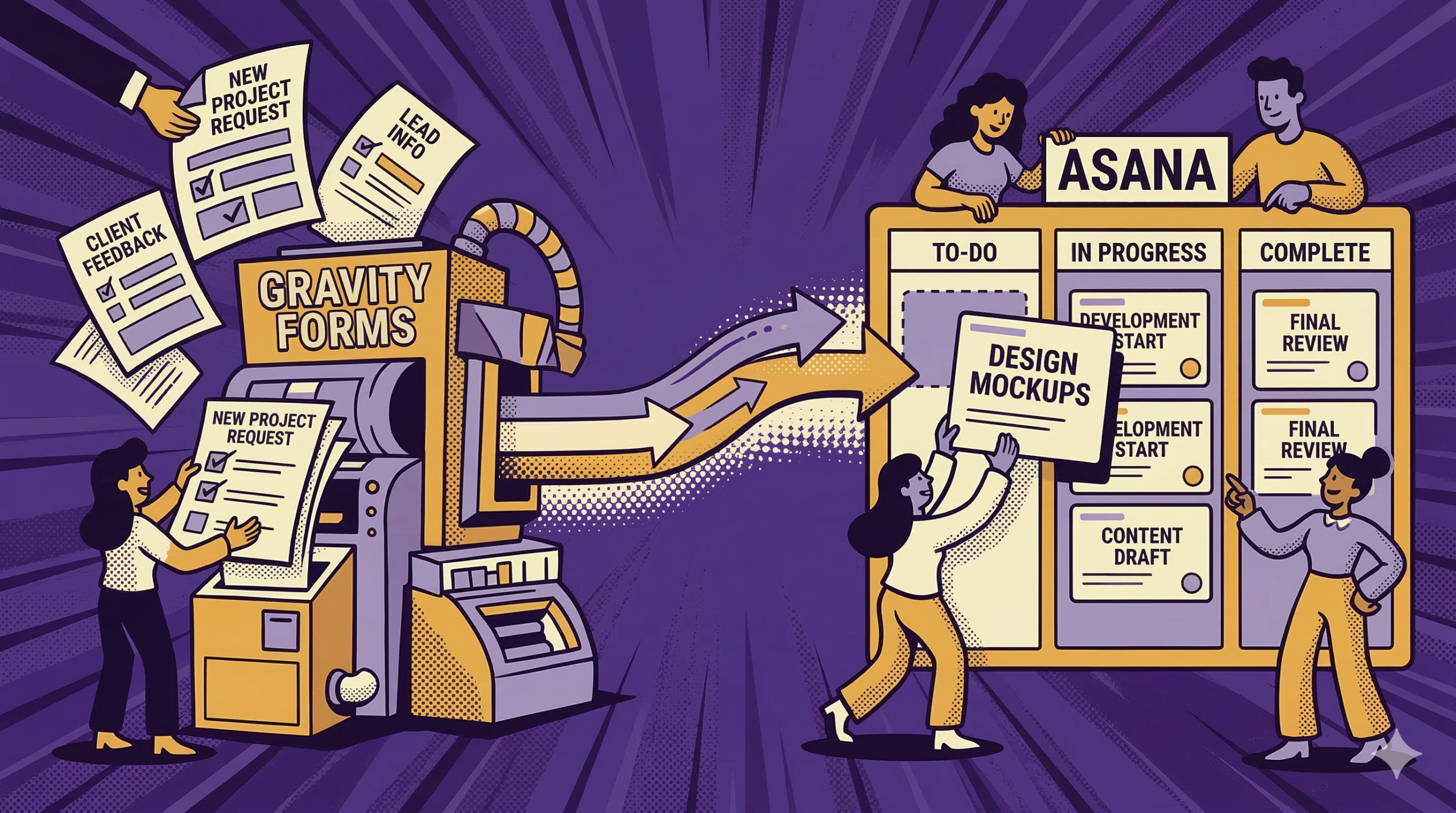
Most businesses that use Gravity Forms started with a simple need: collect contact requests without publishing an email address. Someone installed Gravity Forms, built a form, and had it live quickly. That is a normal starting point.
Then the business grows past that first use case.
Forms stop being “messages that come in” and start acting as entry points into real work: onboarding, support intake, approvals, internal requests, scheduling, hiring, and client updates. Gravity Forms keeps doing its job. The next question becomes what the business does with submissions once they arrive.
That question is where Gravity Forms integration matters. The best integrations do not add complexity for its own sake. They make a Gravity Forms based workflow easier to run, easier to follow, and less dependent on manual transfer.
Asana tends to show up here because it gives teams a shared place to handle work that starts with a form submission.
What Form Submissions Actually Cost You
Many WordPress-based businesses end up with Gravity Forms collecting data on one side and a patchwork of tools and routines managing work on the other side. A submission arrives. Someone copies key details into a work tool. Another person logs the contact somewhere. A message goes to the team. Spreadsheets get updated so everyone can see the same list.
Even when a team is careful, that pattern adds cost in several places.
Tool Sprawl
Costs rise when separate tools each handle a slice of the same workflow. Those expenses also stay hidden because they renew at different times and live on separate line items.
Manual Transfer
Copying the same submission details into multiple places becomes a recurring chore. That time scales directly with submission volume.
Error and Drift
Manual transfer also introduces mismatches:
- a field is misread or clipped
- an assignee is skipped
- a date is entered wrong
- one system is updated and another is not
Those problems rarely surface immediately. They show up later as missed follow-up or stalled work.
Records Scattered Across Systems
When submission data is copied into multiple systems, verification turns into back-and-forth. The original entry is still in WordPress. The work record is elsewhere. Notes are split across email or chat. When someone asks, “What did the client submit?” the answer depends on which system they open first.
That is the operational cost: more reconciliation, more status-checking, more time spent tracking down the latest version.
The Tool You Already Paid For
Gravity Forms is not only a contact form tool. It supports more complex intake patterns such as conditional logic, multi-page forms, file uploads, payment collection, and routing behavior based on what the submitter selected.
So the data collection side is often not the weak link. Forms can be structured. Submissions can be consistent. Entries can be stored and referenced.
The weak link is what happens once a submission needs work around it.
Many teams improvise that part:
- forwarding emails
- maintaining a spreadsheet that goes stale
- relying on one person’s memory to keep requests moving
Gravity Forms integration, in practice, is the decision to connect form-driven intake to the way the business actually operates day to day.
A Better Way to Think About Integrating Asana Into Gravity Forms
A useful shift is to treat WordPress as more than a brochure with forms attached. For many businesses, the WordPress site becomes the place where operational data starts. Each Gravity Forms submission becomes a structured signal that work needs to happen.
That makes the integration question sharper.
Instead of asking, “Where should this form data go?”, a better question becomes:
- What work does this submission create?
- Who owns the next step?
- Where will progress be tracked?
- Where will updates and decisions live?
Those are workflow questions, not technical questions.
Asana fits because it is built around shared work items. When teams integrate Gravity Forms with Asana, a submission no longer needs to be copied into a separate system just to become actionable. It can enter the team’s working space in a structured way.
Where Asana Fits
To keep this grounded, focus on what teams often need once form submissions start driving real activity.
Ownership that Stays Visible
A request usually needs an owner. Asana makes ownership explicit in a shared workspace rather than relying on “who saw the email first.”
Work that Lives in One Place
Instead of splitting follow-up across email, chat, and private notes, the work can live in a project where people can see what is open, what moved, and what is waiting.
A Record of Progress
As work moves forward, it produces context: questions asked, decisions made, and updates to the requester. Teams need that context attached to the work item, not buried in a thread someone else cannot locate later.
A Shared Queue
A Gravity Forms entry list shows what came in. A work queue shows what is being handled, what is stalled, and what is done. That difference becomes obvious once volume increases.
This is why people talk about integrating Asana into a Gravity Forms workflow. It changes how form-driven work gets carried once the submission arrives.
A Note About Paths People Use
Teams connect Gravity Forms and Asana in different ways. Some use an add-on. Others use an automation service. Others build a connection through their own systems.
The value argument does not depend on one method. It depends on what changes operationally once Gravity Forms submissions connect into a shared work system.
What Changes When You Integrate Gravity Forms With Asana
Once Asana is part of a Gravity Forms workflow, a few changes often follow in small teams.
- Less manual transfer between systems – Form submissions do not require repeated copying into multiple places just to become actionable.
- Fewer “who owns this?” moments – Ownership is visible in one workspace.
- Better follow-through on routine submissions – Requests are less likely to sit unnoticed in an entry list or email thread.
- Easier handoff when staff change – Work history stays with the work item rather than living in one person’s memory.
- Fewer shadow systems – The entry remains the submission record. The work item remains the work record. Extra spreadsheets stop acting like the real system.
These are practical outcomes. They are also the core reason Gravity Forms integration matters in the first place.
Gravity Forms remains the intake engine. Asana becomes the place where teams can run the work that follows.
Want to learn more about Gravity Forms? Reach out to BrightLeaf Digital today!
Check out our Snippets Library for useful additions to your Gravity Forms workflow.